Laser buying guide
Best Budget Laser Engravers: What $200–$500 Buys in 2026
Updated July 7, 2026
Budget diode lasers matured fast: $400 now buys 10 real optical watts, air assist, and flame detection — a machine that cuts 5 mm ply and engraves everything from slate to powder-coated steel. The catch is a spec sheet written to confuse you and a safety story the listings underplay. Here's how to read both.
Some links on this page are affiliate links. If you buy through them, The Maker Guide may earn a small commission at no extra cost to you. We only point at product categories we would compare ourselves. Details.
The one spec that matters: optical watts
Diode listings shout electrical consumption ('80W laser engraver!') while the number that cuts is optical output — buried in the fine print as '10W output power' or 'FAC 450nm 10W'. The 2026 budget tiers are roughly: 5 optical watts ($150–250) engraves everything, cuts 3 mm ply slowly; 10 watts ($300–450) is the sweet spot — 5 mm ply in one or two passes, 8 mm on a good day; 20+ watts ($500–800) starts genuinely competing with entry CO2 machines for cutting.
The other honest specs: air assist included (or budget $40 to add it), a flame sensor, limit switches, and LightBurn compatibility — which in 2026 means every machine worth buying.
The picks
xTool D1 Pro 10W
The polish pick: rigid steel-shaft motion (visibly cleaner curves than belt-only frames), integrated limit switches, flame detection, and the deepest accessory line in the class — rotary, risers, enclosure, and honeycomb all just fit. Costs $80–120 over generic rivals and feels it.
10 W optical, ~430 × 400 mm, LightBurn native
See options on Amazon →Sculpfun S30 Pro (10W)
The value pick: automatic air-assist pump included at a price where rivals make it an add-on, replaceable lens (a real long-term cost saver), and honest cutting performance. The frame assembly is more DIY than xTool's.
10 W optical, air assist included
See options on Amazon →AtomStack A5 series (5W)
The proof-of-concept pick: a real 5 W optical machine regularly under $200. Engraves wood, leather, slate, and coated metal happily; treat cutting as a bonus, not the job.
5 W optical
See options on Amazon →Laser safety goggles (450 nm rated)
Not a pick, a prerequisite: open-frame machines demand OD4+ goggles matched to 450 nm. The $12 tinted freebies in the box are not certified protection. Budget this with the machine, not after.
See options on Amazon →Open frame vs enclosed at this price
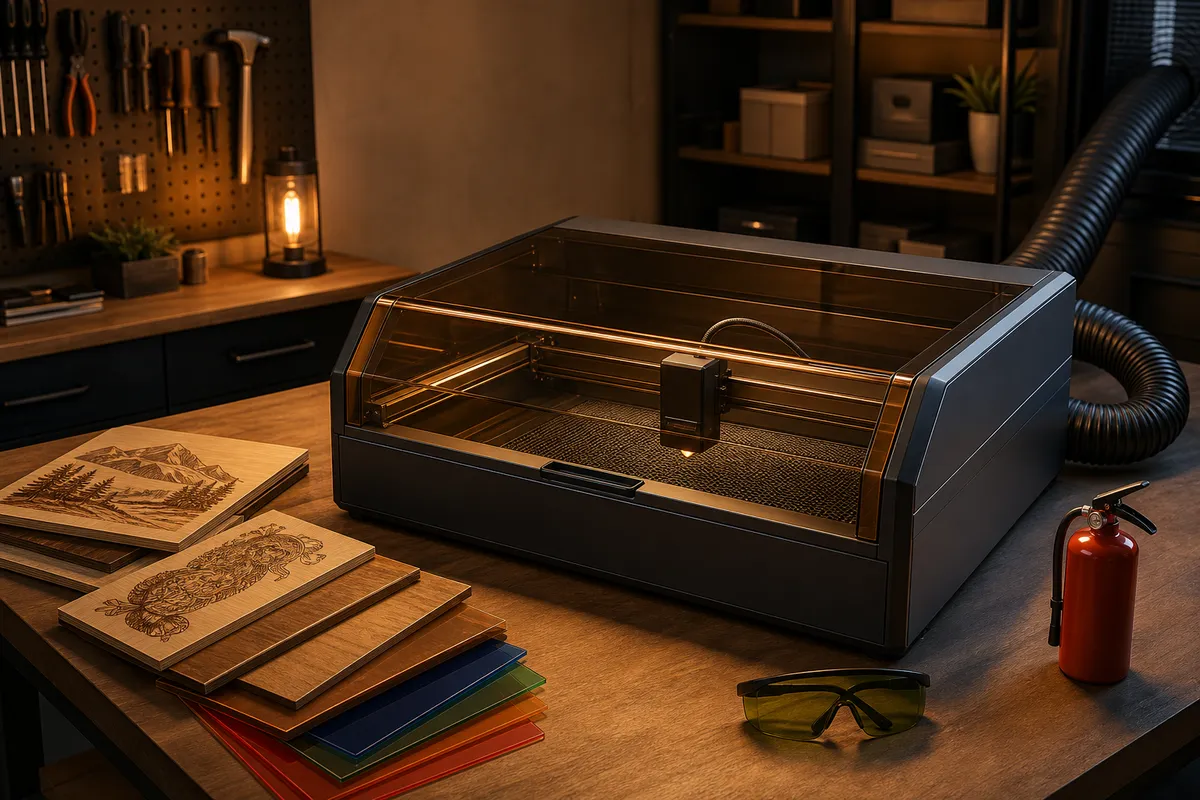
Everything under $500 is effectively open-frame (enclosed budget machines like the xTool S1 class start around $600–1000). Open frames are fine if you treat the room as part of the machine: goggles for everyone present, real ventilation, and no unattended runs — diode-cut wood is a genuine fire starter, which is why flame sensors moved from luxury to baseline. A DIY or vendor enclosure ($60–150) upgrades safety, smell, and noise all at once, and our safety checklist covers the rest.
If your workspace is a spare bedroom or you share the house with kids, weigh stretching for an enclosed machine before buying twice.
What budget diodes are honestly great at
Engraving is the headline act, not cutting: photo engraving on Baltic birch and slate, powder-coated tumblers on a rotary, anodized aluminum tags, leather patches, and cutting 3 mm ply and cast acrylic in dark colors for ornaments and earrings. That list covers most of what actually sells at craft fairs.
The honest exclusions: clear acrylic (blue light passes through — it barely couples), thick hardwood cutting in production, and bare metal engraving beyond marking tricks. Those want CO2 or fiber.
Frequently asked questions
What can a 10W diode laser actually cut?
Reliably: 3–5 mm plywood and basswood in 1–3 passes, 3 mm dark cast acrylic, leather, cardboard, and felt. Ambitiously: 8–10 mm ply with multiple passes and clean air assist. Not at all: clear acrylic, polycarbonate (toxic + melts), PVC (never — chlorine gas), and bare metal.
Is a cheap diode laser safe to use in a house?
With the discipline of goggles, ventilation to a window, a flame sensor, and never leaving it mid-job — yes, thousands run in garages and spare rooms. The two real risks are eyes (reflected 450 nm light) and fire (air-fed flames in cut kerfs). Both are managed by equipment and habit, not luck.
Why does my listing say 80W but the machine engraves like 10W?
Because it is 10 W — of laser. The 80 W figure is electrical input or a 'peak' fiction. Optical output is the only comparable number; any listing that hides it deserves suspicion.
Do I need LightBurn or is the free software enough?
The bundled software (LaserGRBL etc.) is genuinely fine for learning. LightBurn ($60, one-time for the diode license) earns its cost the day you do a rotary job, camera alignment, or production batch — most owners upgrade within three months and don't look back.
Diode vs CO2 at the same budget — which should I buy?
Under $500 there is no real CO2 option (entry K40-class machines start higher and need immediate upgrades). If your work is engraving-first, the diode is the right call anyway; if cutting clear acrylic or 6 mm+ ply is the goal, save for CO2 rather than buying a diode that can't. Full breakdown in our diode vs CO2 guide.