CNC buying guide
Best CNC Routers Under $500: What You Get and What You Give Up
Updated July 7, 2026
Under $500 buys a real, working CNC in 2026 — with a working area the size of a sheet of paper and a spindle that asks for patience in hardwood. That's a great deal or a frustrating one depending entirely on what you plan to cut. Here's the honest map of the class.
Some links on this page are affiliate links. If you buy through them, The Maker Guide may earn a small commission at no extra cost to you. We only point at product categories we would compare ourselves. Details.
What sub-$500 actually means
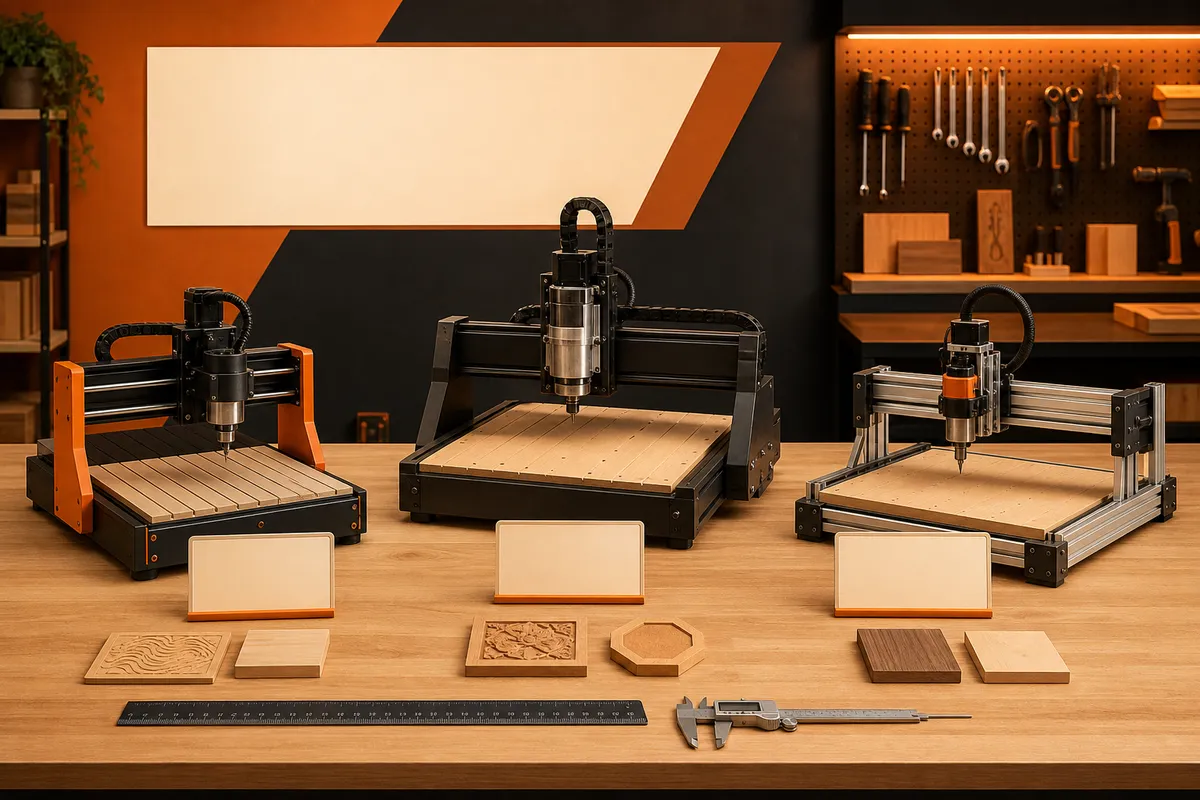
This class is dominated by 3018-descended machines (300 × 180 mm work area) and their stretched, stiffened successors in the 3020–3040 range. Compared to a 4040-class machine at $700–900, you give up work area, spindle power (typically 200 W-class), and frame rigidity — which translates to shallower passes and slower projects, not worse precision. A well-tuned 3018 engraves and cuts small hardwood pieces beautifully; it just does everything in more passes.
What you don't give up: the full workflow. CAM, zeroing, bits, feeds and speeds — every skill transfers when you upgrade, which is the strongest argument for starting here if budget is the constraint.
The picks
Genmitsu 3020-PRO MAX V2
The class act of the budget tier: all-aluminum frame (no plastic gantry parts), ball screws instead of lead screws on many axes, and a 32-bit GRBL controller. It cuts hardwood convincingly for a machine at this price, and SainSmart's accessory ecosystem covers upgrades for years.
~300 × 200 mm work area, upgradeable spindle
See options on Amazon →FoxAlien 3018-SE V2
FoxAlien's refined take on the classic 3018: enclosed electronics, quieter than the bare-frame kits, and a clean assembly experience. A natural first step if you may later grow into the Masuter platform.
3018-class work area
See it at FoxAlien →Genmitsu 3018-PRO V2
The entry point: the most-documented hobby CNC ever made, with thousands of build videos and forum answers. Plastic frame parts limit hardwood ambitions — treat it as an engraver that can also cut, and it delights.
300 × 180 × 45 mm
See options on Amazon →SainSmart offline controller + probe bundle
Whichever machine you pick, budget ~$50 for the two quality-of-life upgrades the class begs for: an offline controller (no laptop in the dust) and a Z probe.
See options on Amazon →What these machines are genuinely good at
Small-format is a niche, not a punishment: coasters, earrings and small-batch jewelry blanks, engraved tags, wooden pins, guitar inlay work, PCB isolation milling, and V-carved gifts up to about A5 size all fit the envelope and sell. Soft aluminum engraving (deep marking, not profiling) works with 30° engraving bits and patience.
The honest exclusions: full-size signs, cutting boards, and anything from 18 mm plywood in production quantity. Those want a 4040 at minimum — if that's your project list, save the extra $300 and skip the intermediate purchase.
The three upgrades that transform the class
- Swap the stock bits immediately. The included bits are demonstration-grade. A 1/8 in upcut/downcut set changes cut quality more than any machine setting.
- Add a Z probe. Paper-zeroing a machine with 45 mm of Z travel and small stock is fiddly; a $12 plate makes every job start clean.
- Brace or enclose it. The frames resonate. A torsion-box base or a simple MDF enclosure drops noise dramatically and visibly improves cut finish by damping vibration — and contains the dust a full-size collection setup would otherwise chase.
Try the class before committing
If you're within reach of Orange County, the machines at The Makr Lab let you run a real CNC job before deciding whether small-format suits your projects — an hour on a machine answers questions no spec sheet can.
Frequently asked questions
Can a 3018-class CNC cut hardwood?
Yes, with expectations set: 1/8 in bits, 0.5–1 mm passes, and slow feeds. A coaster-sized maple piece is maybe 20 minutes of cutting. What it can't do is hog through 18 mm oak profiles all afternoon — the 200 W-class spindle and frame flex set the ceiling.
Are these machines precise enough for detailed work?
Surprisingly so — precision is where small machines shine, since short axes flex less. Fine V-carving, inlay pockets, and PCB milling are all within reach. The limits are power and size, not accuracy.
3018 vs 3020-PRO MAX class — is the extra $150 worth it?
If you'll cut wood (not just engrave), yes without hesitation: the all-aluminum frame and ball screws are the difference between a machine you upgrade and a machine you replace. The plain 3018 makes sense mainly as a lowest-cost trial of the hobby.
Should I buy a used 3018 instead?
The classifieds are full of barely-used ones from people who discovered CNC has a learning curve — $80–120 is common. It's a great way in if you can verify it runs a job before paying. Budget for new bits and possibly a controller board.
What software do budget CNCs use?
The same stack as the big machines: GRBL firmware, so Easel, Carveco Maker, VCarve, or Fusion 360 for CAM, and UGS, Candle, or gSender to run the machine. Free options cover everything a beginner needs — software cost is $0 to start.