Comparison
Cricut vs Silhouette: The Cutting-Machine Ecosystem Decision
Updated July 7, 2026
The blade barely matters — both companies' machines cut vinyl, cardstock, and HTV beautifully. What you're actually choosing between is two software philosophies: Cricut's polished, guided, cloud-required Design Space versus Silhouette's dense, offline, owns-its-files Studio. Buyers who pick by the machine and discover the software are this comparison's recurring tragedy.
Some links on this page are affiliate links. If you buy through them, The Maker Guide may earn a small commission at no extra cost to you. We only point at product categories we would compare ourselves. Details.
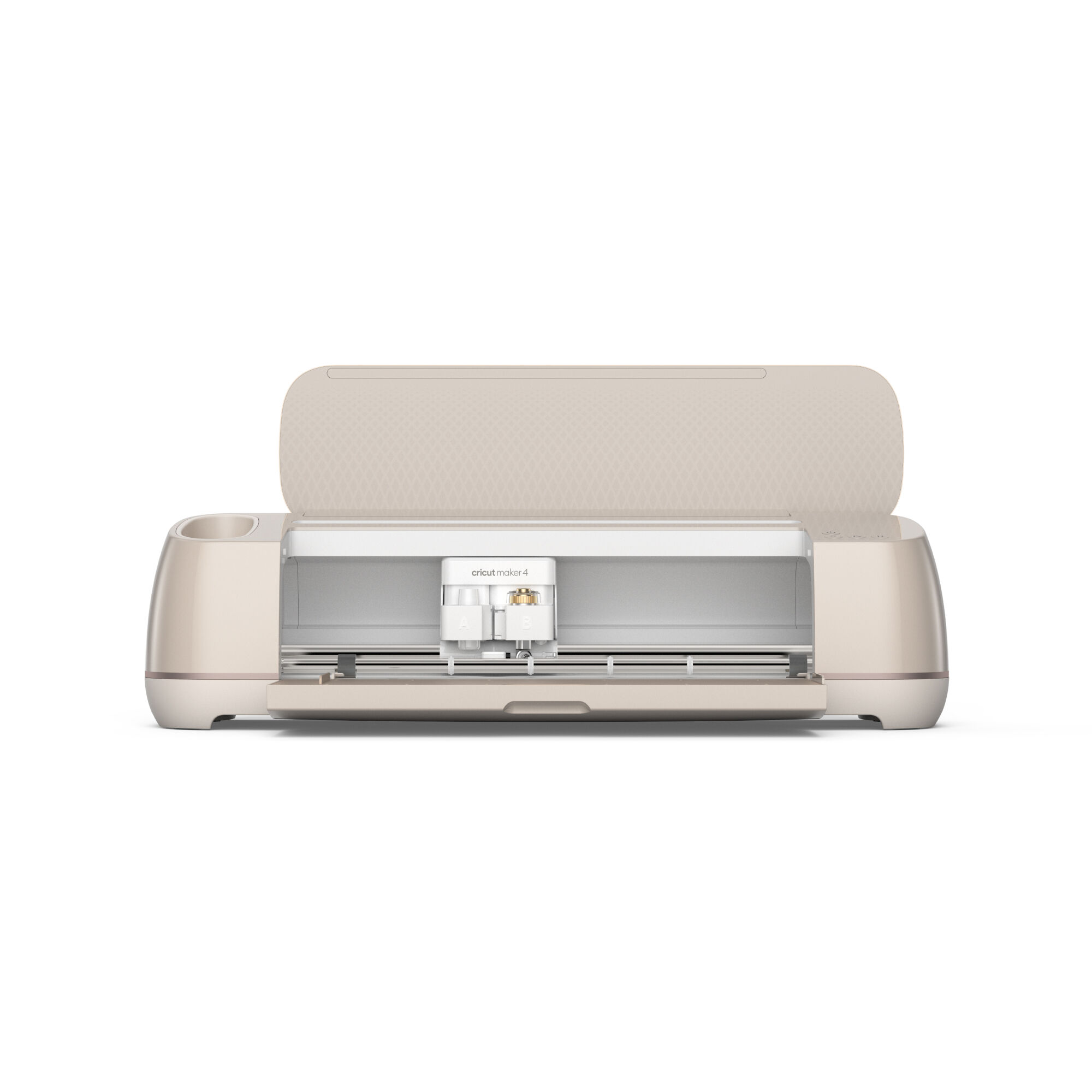
Cricut Maker series
Cricut's flagship line: ~4 kg of cutting force, the QuickSwap tool ecosystem (rotary blade for fabric, scoring, debossing, engraving), and Design Space — guided, template-rich, cloud-based software with a massive image/font subscription library.
Check price on Amazon →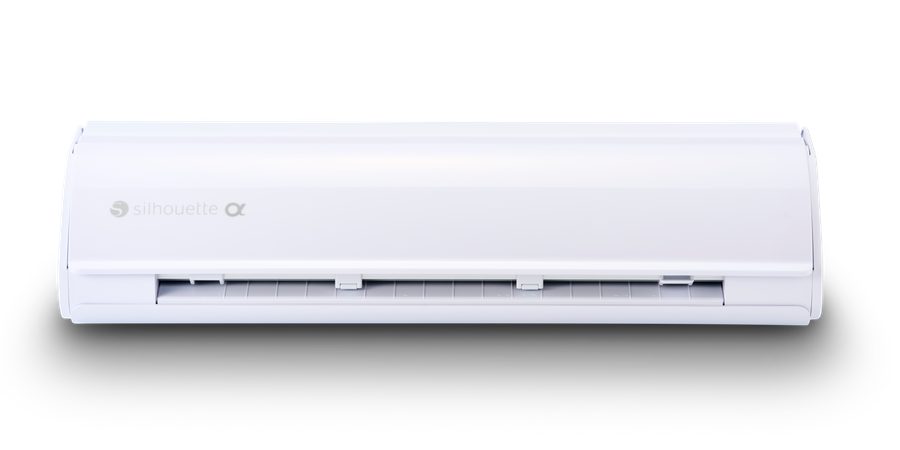
Silhouette Cameo 5
Silhouette's flagship: comparable cutting ability with an electrostatic mat option, up to 5 kg of force with specialty tools, and Silhouette Studio — a true offline design suite where advanced users draw, trace, and manipulate designs without a subscription or an internet connection.
Check price on Amazon →Quick verdict
Choose Cricut if you want the machine to disappear behind the project: Design Space's guided workflow, enormous ready-made library (via the ~$10/month Access subscription), and the accessory wall at every craft store make it the path of least friction from idea to finished tumbler decal. Accept: cloud dependence (no internet, no cutting), subscription pressure, and less design freedom.
Choose Silhouette if you design: Studio is genuinely capable offline design software — node editing, tracing, text-on-path — with your files on your disk and no subscription required (a one-time Business Edition upgrade adds SVG import and multi-tool features). Accept: a steeper learning curve and a smaller, less polished accessory ecosystem.
The tell: people who describe themselves as 'crafters' tend to thrive on Cricut; people who already use design software for a laser or CNC tend to feel handcuffed anywhere but Silhouette.
Side by side
| Cricut Maker 3 class | Silhouette Cameo 5 class | |
|---|---|---|
| Software | Design Space — guided, cloud-required | Studio — dense, fully offline |
| Subscription | Optional but heavily woven in (~$10/mo) | None; optional one-time upgrades |
| Your files live | In their cloud | On your computer |
| Cutting force | ~4 kg; rotary blade cuts fabric outright | ~5 kg with specialty tools |
| Matless cutting | Smart Materials (their branded rolls) | Any vinyl roll with the roll feeder |
| Tool ecosystem | QuickSwap: rotary, deboss, engrave, perforate | Auto-blade, kraft, rotary-adjacent tools |
| Accessory availability | Every big-box craft store | Online mostly |
| Offline use | No (design queuing limited) | Yes, completely |
| Typical street price | $300–400 | $300 (frequent sales) |
The subscription math nobody does at checkout
Five years of Cricut Access at ~$10/month is $600 — more than the machine — and Design Space makes the free path feel like the demo mode. That's not a scam; it's a model: casual users genuinely get value from the million-image library and licensed fonts. But makers who already own vector skills (or an AI image generator and a vectorizer) are paying for a library they don't need. Silhouette's model is the inverse: free software that's fully yours, with a one-time ~$50 Business Edition unlock for SVG import — the single upgrade every maker-type owner buys.
Both machines' consumables (mats, blades, transfer tape) are commodity items despite branding — generic blades and mats work in both and cost a third as much.
Where each one actually wins projects
Cricut's rotary blade is a real differentiator — it cuts fabric, felt, and crepe paper cleanly without stabilizer, which sewists and quilty-adjacent makers use constantly. Its Smart Materials matless workflow is also the fastest long-banner path. Silhouette wins production work: Studio's ability to lay out dozens of designs precisely, print-and-cut with registration marks (sticker sellers' bread and butter), and drive the machine from any old laptop offline suits craft-fair production and small-business batch work.
And the boundary both share: they cut and draw — they don't engrave wood or cut plywood. The moment project ambitions grow past vinyl and cardstock, the laser-vs-Cricut question is the next comparison to read, and the sublimation-vs-HTV question covers what happens after the cut.
Either way, the starter consumables
Permanent + removable vinyl bundle (651/631 class)
The material both machines eat most: Oracal-class permanent for mugs and outdoor, removable for walls and temporary. Buy the multi-color bundle, learn what you actually use, then buy rolls.
See options on Amazon →HTV starter pack
Heat-transfer vinyl for shirts and totes — the other half of the hobby. Siser Easyweed class weeds nicer than bargain packs and survives washing.
See options on Amazon →Weeding tool kit + transfer tape
The unglamorous half of every vinyl project. A good hook tool and mid-tack transfer tape are the difference between a craft and a chore.
See options on Amazon →Replacement mats + blades (generic)
The consumables both brands mark up hardest. Generic standard-grip mats and 45°/60° blades perform identically at a third the price.
See options on Amazon →Heat press, 12–15 in (if HTV is the plan)
The household iron produces household-iron results: uneven pressure means peeling corners after wash three. A $120 clamshell press makes HTV permanent and repeatable.
See options on Amazon →Frequently asked questions
Which is better for beginners, Cricut or Silhouette?
Cricut, honestly — Design Space's guided workflow gets a first decal made in an hour, and the failure modes are gentler. The question worth asking first is whether you'll stay a beginner: people with design ambitions often wish at month six they'd taken Silhouette's steeper day one.
Do I have to pay a subscription to use a Cricut?
No — the machine cuts your own uploaded designs free. In practice, Design Space surfaces its subscription library constantly, and casual users tend to convert. Budget honestly: if you expect to use ready-made designs weekly, price the machine as 'Cricut + $120/year'; if you make your own art, the free tier suffices.
Can these machines cut without the sticky mat?
Both, for vinyl: Cricut via its branded Smart Materials rolls, Cameo via a roll feeder with ordinary vinyl — a meaningful cost difference at volume. Cardstock, HTV sheets, and anything non-backed still want the mat on either machine.
Which holds value better if I upgrade later?
Cricuts resell faster (bigger brand recognition, constant demand from beginners); Silhouettes resell to a smaller, savvier market. Neither holds value like a laser or CNC — cutting machines are $80–150 used within two generations. Buy for use, not resale.
Should I skip both and buy a laser?
Different materials, different answer: vinyl decals, HTV shirts, and cardstock are cutter territory (lasers can't cut vinyl — PVC, chlorine gas, hard no). Wood, acrylic, leather, and engraving are laser territory. Households that do both genres often genuinely need both machines — our laser vs Cricut comparison draws the full boundary.