3D printer comparison
Bambu Lab A1 vs Creality Ender-3 V3: The $250–$400 Printer Decision
Updated July 7, 2026
These are the two bed-slingers most first-time buyers cross-shop in 2026, and they represent opposite philosophies: Bambu sells an appliance that prints when you press print; Creality sells a fast, open machine that rewards (and occasionally requires) involvement. Both are good. They are not interchangeable.
Some links on this page are affiliate links. If you buy through them, The Maker Guide may earn a small commission at no extra cost to you. We only point at product categories we would compare ourselves. Details.
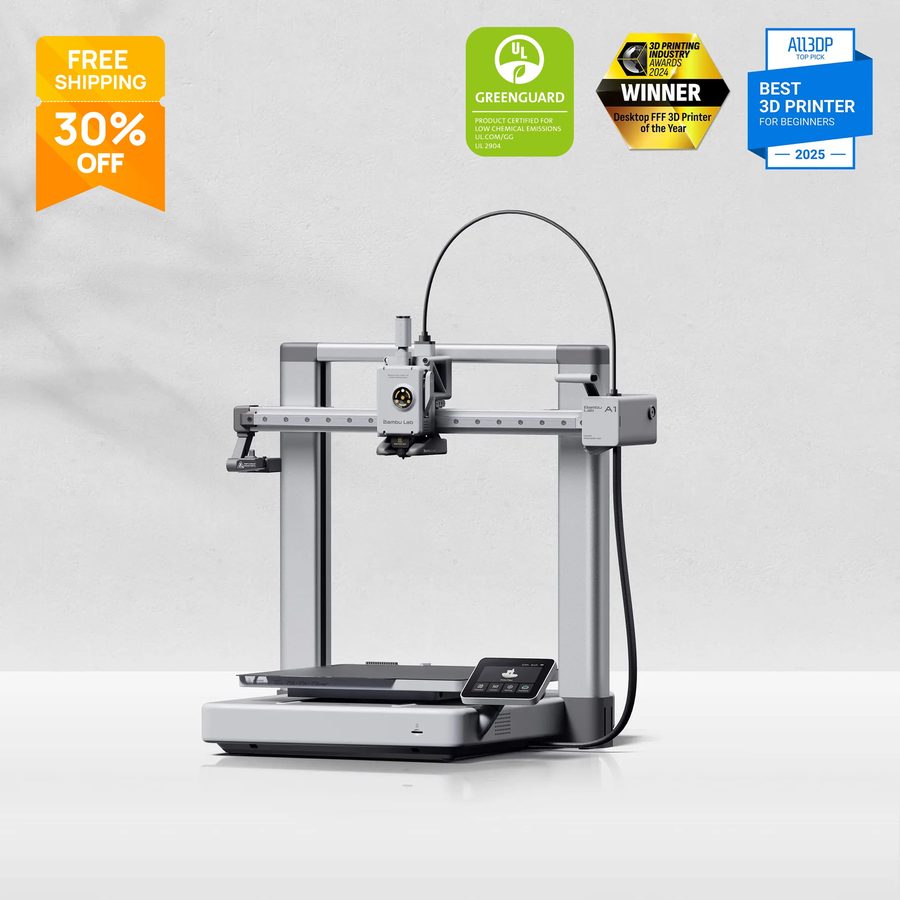
Bambu Lab A1
Bambu's 256 mm³ bed-slinger: full-auto calibration (flow, pressure, vibration), quick-swap nozzles, camera with timelapse, and the AMS lite add-on for 4-color printing. The 'it just prints' experience that reset expectations for the price class.
Check price on Amazon →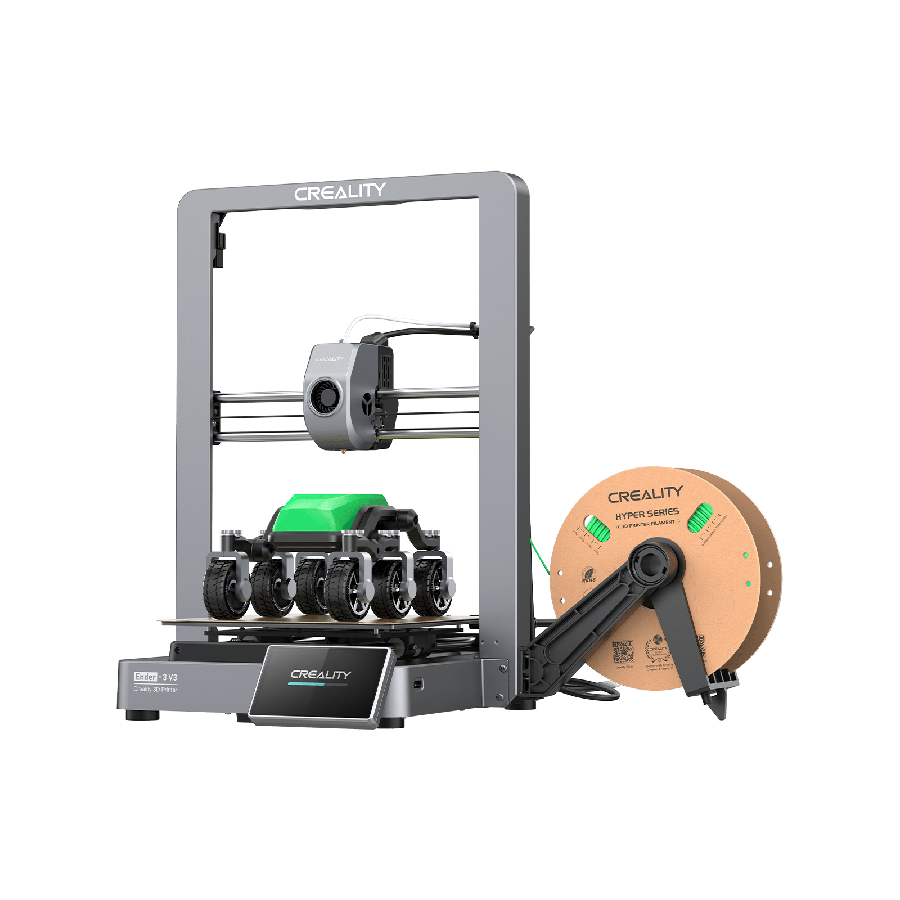
Creality Ender-3 V3
The fastest evolution of the best-selling printer line ever: 600 mm/s claimed speed on a CoreXZ motion system, auto-leveling, direct drive, and Creality's fully open ecosystem — standard parts, standard firmware options, mod culture included.
Check price on Amazon →Quick verdict
Buy the A1 if you want prints, not a printer hobby: its automatic calibration suite genuinely removes the first-layer, flow, and ringing tuning that defines beginner frustration, and AMS lite multi-color is the feature non-hobbyist households actually use. Accept that repairs and parts flow through Bambu's ecosystem.
Buy the Ender-3 V3 if you want to understand and own your machine: comparable real-world speed, standard components you can source anywhere, Klipper and open firmware culture, and a global parts market. Accept that 'occasionally needs your attention' is part of the deal.
The tiebreaker question: when a print fails at 11 pm, do you want to press 'recalibrate' or open the toolbox? Both answers are legitimate.
Side by side
| Bambu Lab A1 | Creality Ender-3 V3 | |
|---|---|---|
| Build volume | 256 × 256 × 256 mm | 220 × 220 × 250 mm |
| Motion | Bed-slinger, input shaping | CoreXZ bed-slinger, 600 mm/s claimed |
| Calibration | Full-auto: flow, pressure advance, vibration, bed | Auto bed leveling; tuning is on you |
| Multi-color | AMS lite (4 spools) — the class exclusive | None native |
| Nozzle swaps | Tool-free quick-swap hotend | Conventional; standard parts, dirt cheap |
| Ecosystem | Bambu slicer/cloud/parts; polished, closed-leaning | Open: Creality/Klipper/community mods |
| Noise | Quiet mode is genuinely quiet | Reasonable; fans dominate |
| Repair philosophy | Swap Bambu modules | Fix anything with generic parts |
| Typical street price | $339–399 (A1 alone), +$100–150 with AMS lite | $249–299 |
The reliability story, honestly
The A1's headline isn't speed (both are fast) — it's the percentage of prints that succeed without you. Auto flow calibration per-filament, pressure advance measured per-print, and a strain-gauge first layer add up to a machine that new owners run for months before learning what 'e-steps' means. That's not marketing; it's the consistent owner experience, and it's why we'd hand an A1 to a family or a classroom without hesitation.
The V3's counter is sovereignty. Every wear part — nozzles, fans, belts, extruder gears — is standard, cheap, and stocked everywhere from Amazon to AliExpress. Three years in, a heavily-used V3 is fully rebuildable for $40; a Bambu depends on Bambu continuing to sell you modules at Bambu prices. Tinkerers, schools with repair budgets measured in patience, and anyone allergic to cloud accounts land here — the printer-as-shop-tool crowd often does too.
Multi-color changes the calculation
If multi-color matters at all, stop comparing: AMS lite has no answer in Creality's price class, and aftermarket multi-material units are tinker projects, not products. Four-spool printing turns kid-gift season, craft-fair products, and logo-ed shop organizers from paint jobs into print jobs. Budget the combo ($450–500) against a plain V3 plus $150 of filament — that's the real comparison, and it's closer than it looks.
Whichever you choose, add these
Textured PEI spring-steel plate (spare)
Both machines ship with one; both benefit from a second — swap plates between prints instead of waiting for cooldown, and textured PEI ends adhesion fiddling for PLA/PETG.
See options on Amazon →Hardened steel nozzle
One glow-in-dark or carbon-fiber filament print wrecks a brass nozzle. The $15 hardened swap (quick-release for A1, standard V6-style for V3) future-proofs both machines.
See options on Amazon →Filament dryer
The upgrade owners of fast printers discover they needed: fast printing amplifies wet-filament stringing. Both machines print visibly better from dried spools.
See options on Amazon →Flush cutters + deburring tool
The $12 finishing pair every printer bench needs from day one, whatever the badge on the machine.
See options on Amazon →Frequently asked questions
Is the Bambu A1 worth $100+ more than the Ender-3 V3?
If print success rate and zero-tuning matter to you: yes, and owners say so with rare unanimity. If you enjoy machines as machines, the $100 buys you nothing you can't achieve with an evening of V3 tuning — and the V3's open parts ecosystem is worth more over five years.
What about the A1 mini — should it be in this comparison?
The A1 mini ($199-ish) is the right answer for a different question: first printer for a kid, desk printer, or strict budget. Its 180 mm bed excludes helmets, organizers, and many functional prints. Between the mini and the full A1, buy the volume; between mini and V3, decide on the appliance-vs-open question first.
How real is the Ender-3 V3's 600 mm/s claim?
It's a peak, not a cruise. Real profiles run 150–300 mm/s with good quality — which, to be fair, is also what the A1 actually cruises at. Both machines print a Benchy in well under 30 minutes; neither doubles the other in day-to-day throughput.
Do I need Bambu's cloud to use the A1?
No — LAN mode works and Bambu has kept a local-use path (including after the 2025 firmware controversy, which is worth reading up on if ecosystem control matters to you). But the polished experience — phone monitoring, one-tap plates, timelapse — assumes the cloud. V3 owners get equivalent features via Klipper/Fluidd self-hosted.
Which is better for printing PETG and ABS?
PETG: both, easily. ABS/ASA: neither is ideal open-frame — both want an enclosure for anything beyond small parts. If engineering filaments are the actual goal, the machines to compare are the A1's enclosed siblings (P1S class) or an enclosed Creality K1 — a different price bracket. See our material guide for what each filament demands.